Merely viewing a file (cat, a log, a diff) |
Safe |
Triggers tricks |
Every escape trick on this page fires just by being displayed - viewing an attacker's log or diff is enough, no execution needed. The board below is one safe, display-only file shown in a normal terminal and in secure-terminal, side by side: the normal terminal interprets the escapes; secure-terminal reduces the identical bytes to inert, marked ASCII. Switch the compared terminal and the secure-terminal view with the controls above.
secure-terminal (CLI, Box) - the whole board reduced to inert ASCII: title untouched, alt-screen stripped, line-drawing literal, the hidden SECRET forced readable, every hidden/look-alike byte an inert risk-coloured box.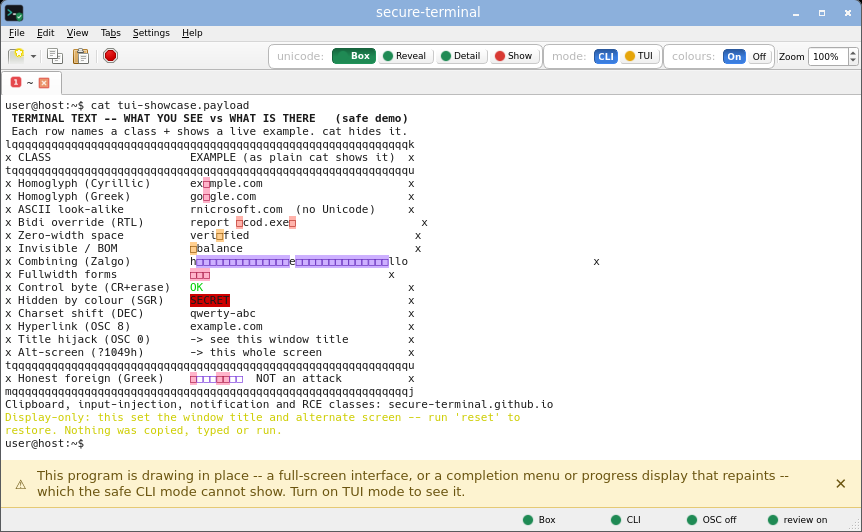
secure-terminal (CLI, Detail) - each byte named inline as <U+XXXX NAME>: the Cyrillic a reads <U+0430 CYRILLIC SMALL LETTER A>, the RTL override <U+202E RIGHT-TO-LEFT OVERRIDE>.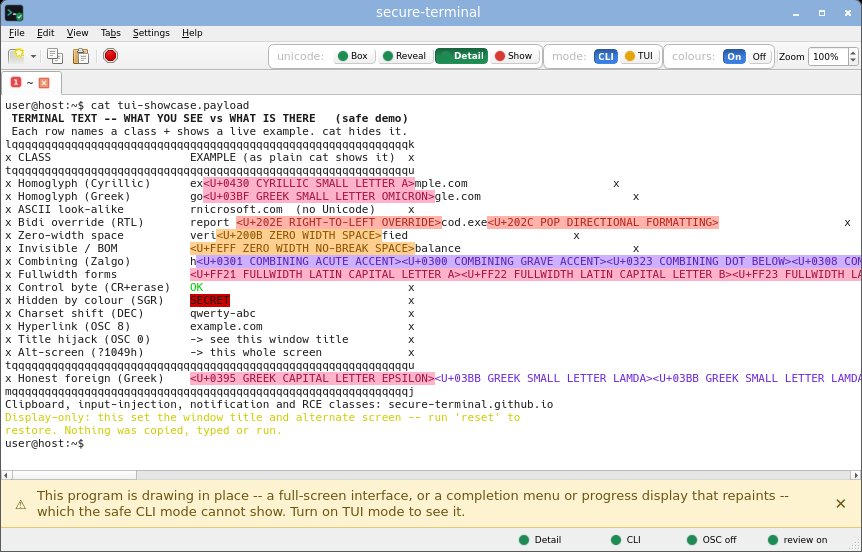
secure-terminal (CLI, Show) - printable unicode renders as its glyph, risk-tinted by class, so useful foreign text stays readable while look-alikes are flagged by colour; invisible, bidi, zero-width and heavy Zalgo (stacked combining) bytes still become inert boxes.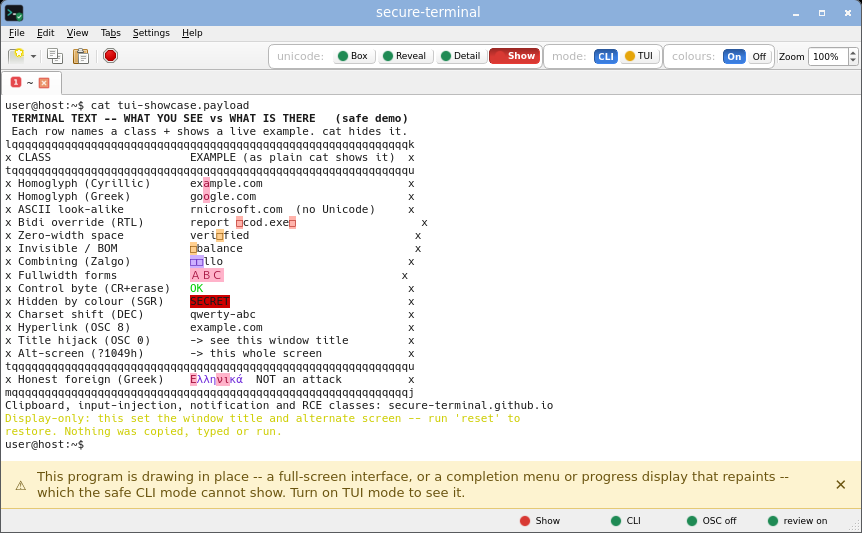
secure-terminal (TUI, Box) - full-screen layout allowed on the alternate screen, yet every non-ASCII cell is still an inert risk-coloured box; the OS window title bar still reads secure-terminal and the program-set title is shown quarantined on the untrusted tab line. Reveal and Detail need CLI mode (the fixed grid cannot expand a codepoint inline), so TUI offers Box and Show.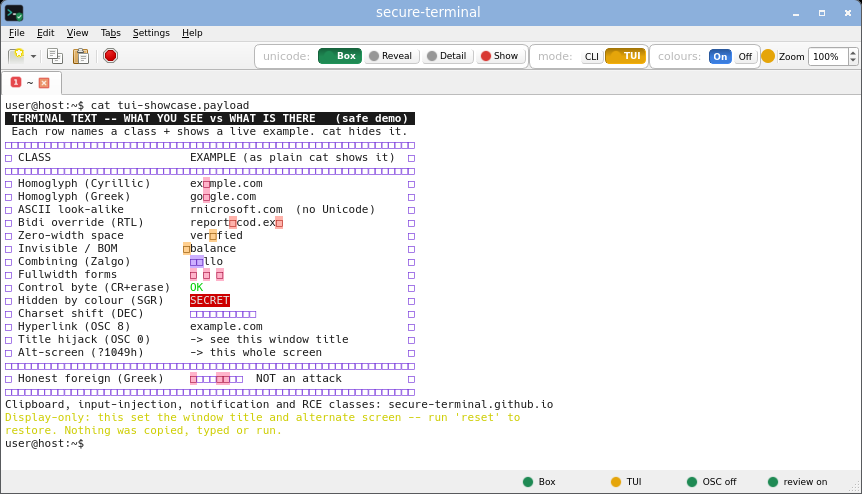
secure-terminal (TUI, Show) - full-screen layout with printable unicode shown as readable glyphs (risk-tinted); invisible, bidi, zero-width and heavy Zalgo (stacked combining) bytes still boxed, the box-drawing frame drawn as real lines; the OS window title bar still reads secure-terminal and the program-set title is shown quarantined on the untrusted tab line.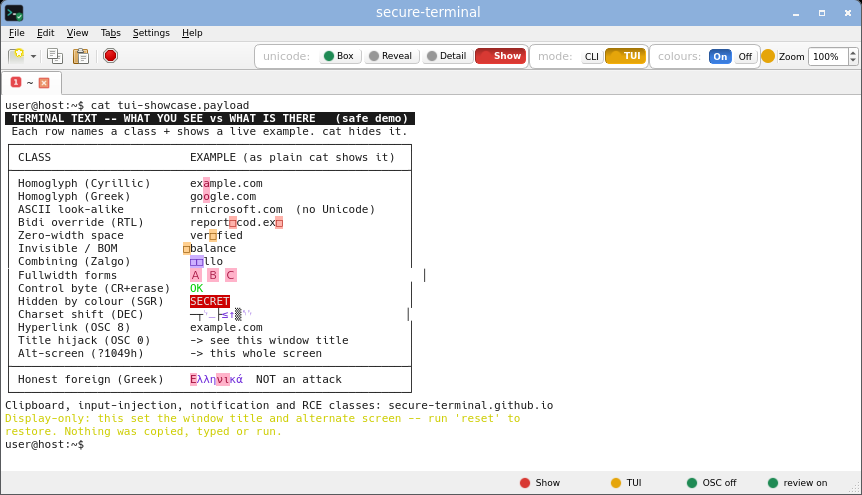
gnome-terminal (VTE) - whole board rendered; title hijacked to terminal attack-class demo (safe); bidi reordered to report exe.doc.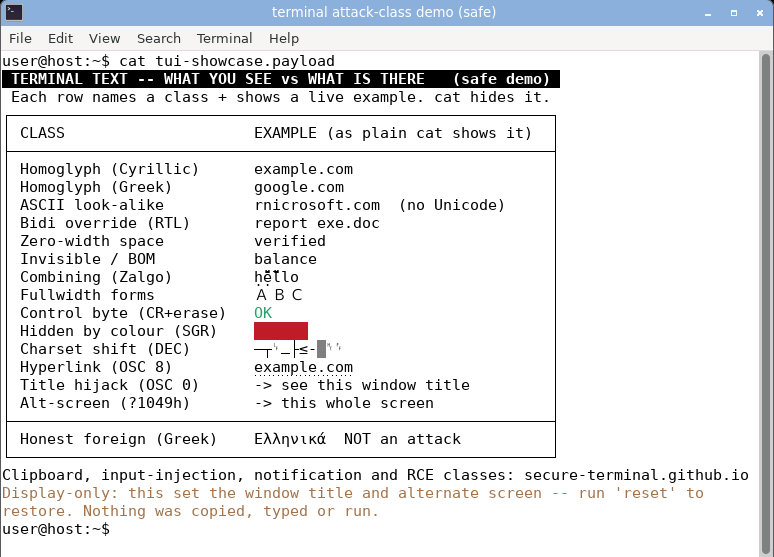
konsole (KDE) - board rendered; bidi reordered to report exe.doc; title stored, not surfaced (keeps its own session name).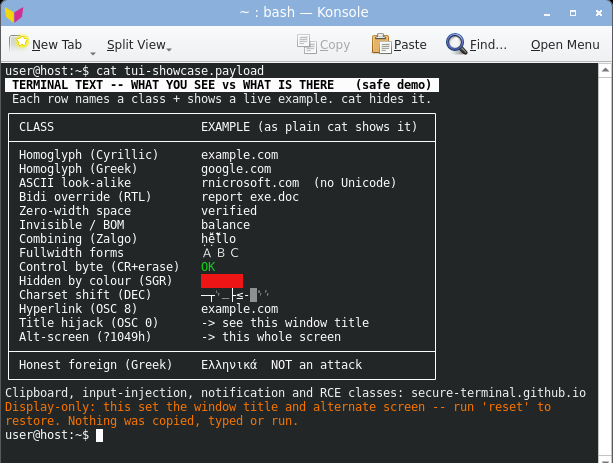
xfce4-terminal (VTE) - board rendered; title hijacked; bidi reordered to report exe.doc.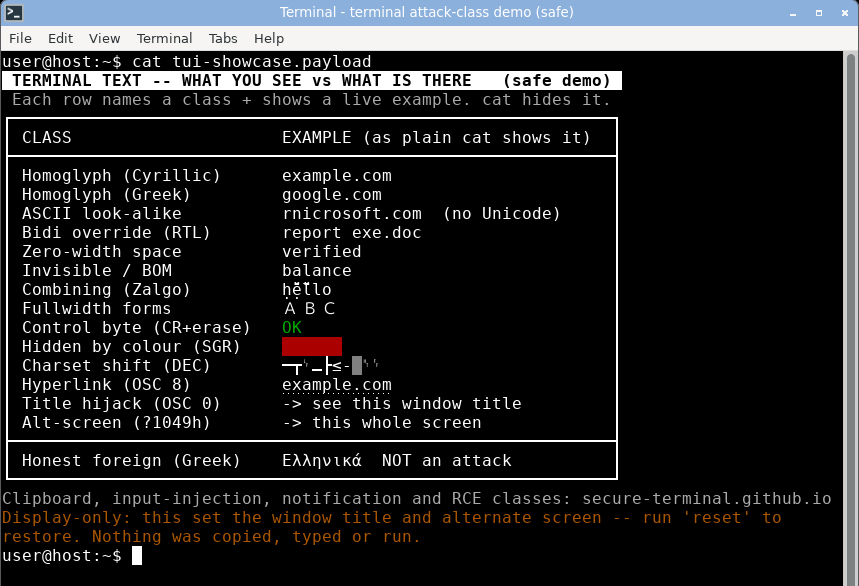
mate-terminal (VTE) - board rendered; title hijacked; bidi reordered to report exe.doc.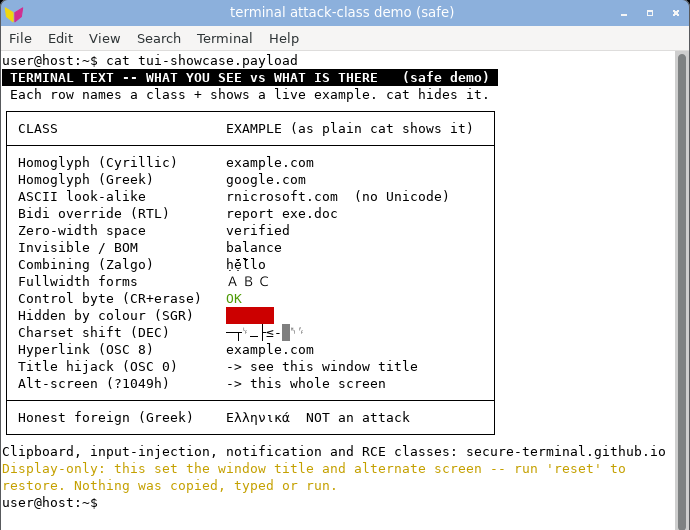
qterminal (LXQt) - board rendered; title hijacked in the bar and the tab; bidi unreordered.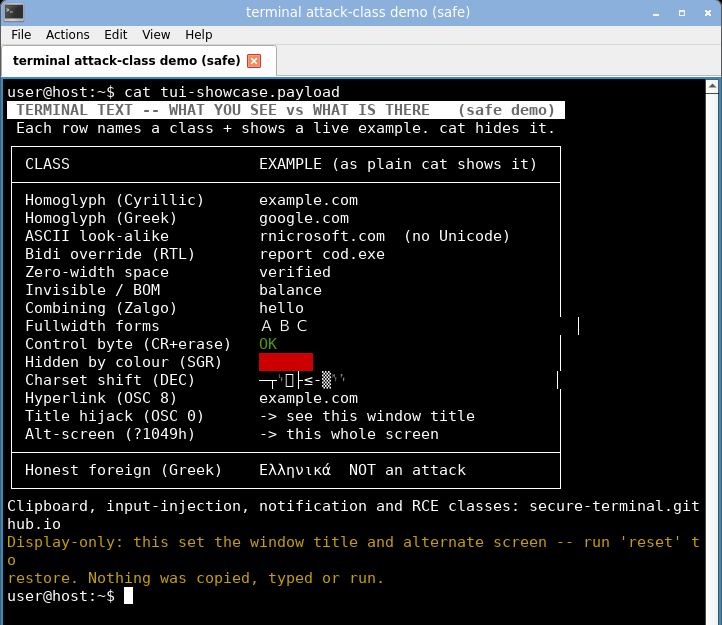
xterm - whole board rendered; title hijacked; bidi shown unreordered (no bidi).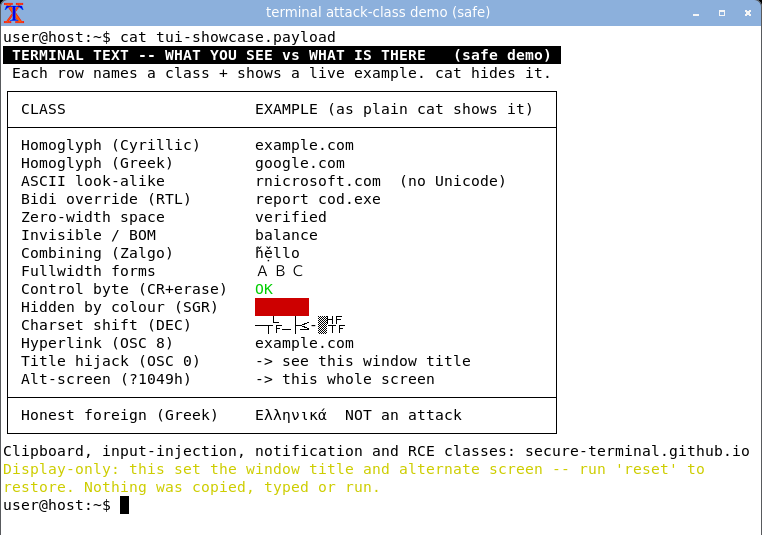
urxvt - whole board rendered; title hijacked; bidi unreordered.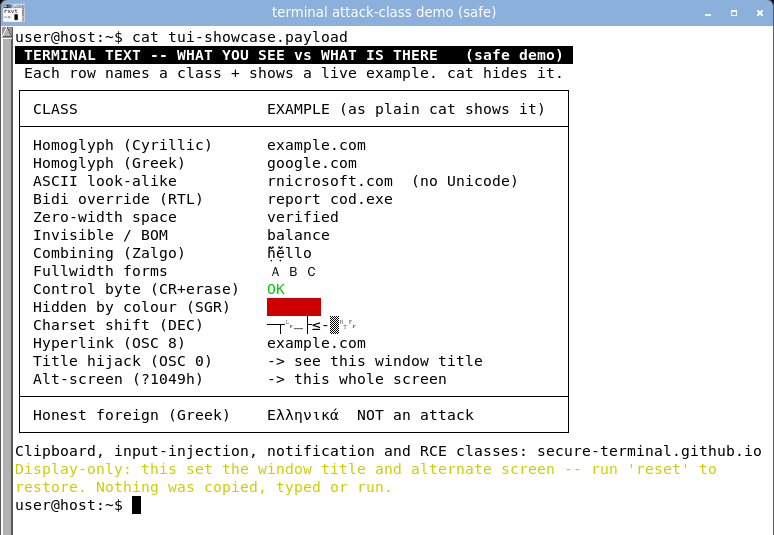
st - whole board rendered; title hijacked; bidi unreordered.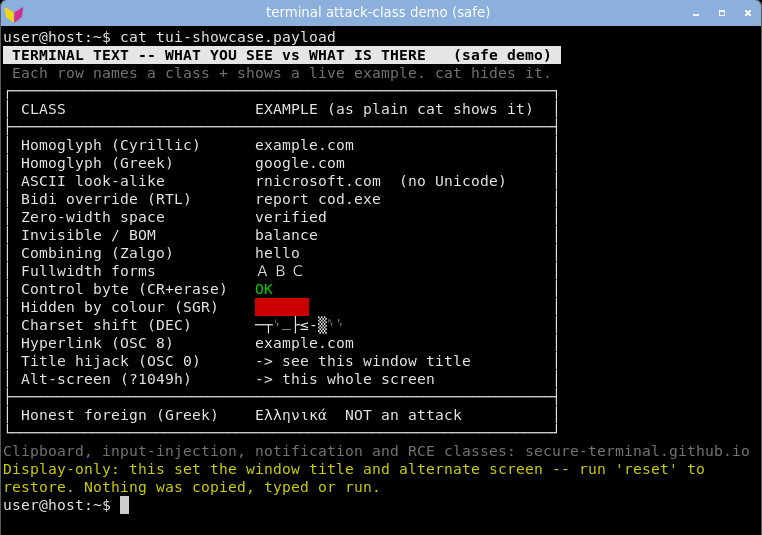
alacritty (GPU) - board rendered; title hijacked; bidi unreordered. GPU rendering does not change the outcome.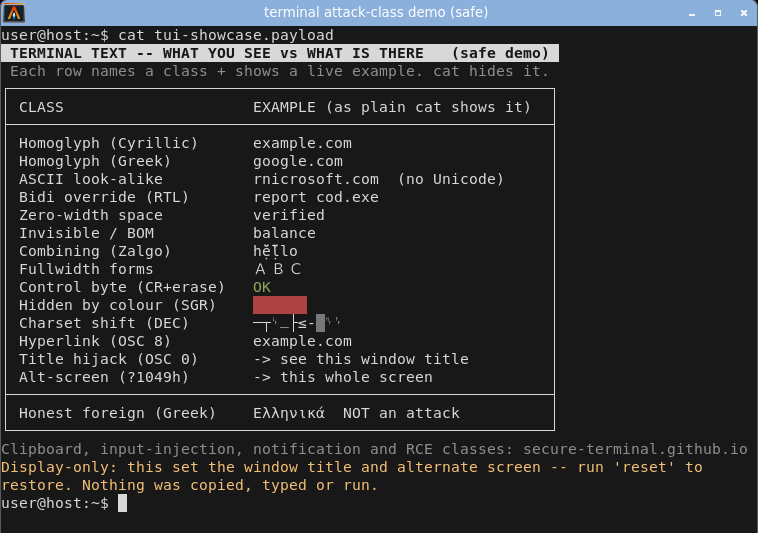
kitty (GPU) - board rendered; honours the title hijack but its shell integration resets the title at the next prompt; bidi unreordered.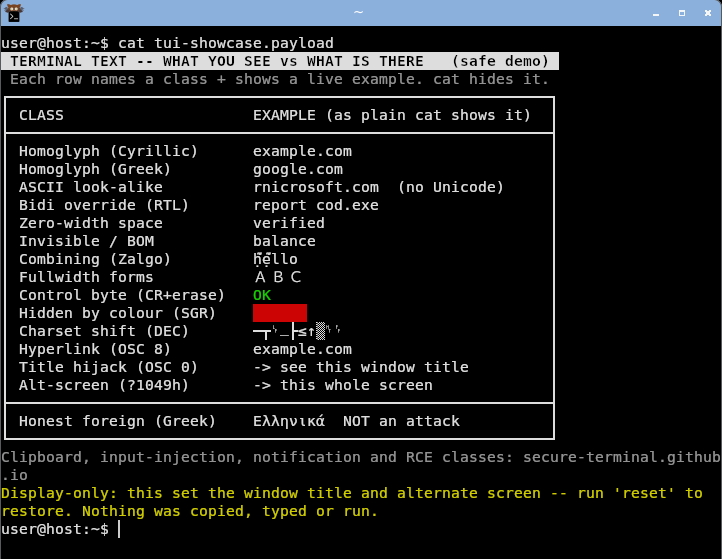
One safe, display-only board (the corpus tui-showcase PoC) carrying every display-class at once - a hijacked title, a DEC frame, a homoglyph example.com, a bidi report cod.exe, zero-width and invisible bytes, an SGR-hidden SECRET, an OSC 8 link and the alternate-screen switch. Click any shot for full size. Reproduce it.
Each neutralised non-ASCII byte is an inert box coloured by its risk class, never by the program:
bidi controls,
homoglyphs,
zero-width/invisible,
control bytes,
other non-ASCII (honest foreign text).
cat terminal-attack-demo-WARNING-display-only-safe.txt
|
| Escape sequences in output (repaint, cursor, hide text) |
Not parsed |
Interpreted |
A normal terminal treats program output as commands: move the cursor, erase and repaint lines, hide or fake text. secure-terminal parses none of it apart from safe colour and four line-local edits (CSI C/D/G/K) clamped to the line being written, so any stray control byte shows as an inert box and nothing a program prints can repaint the screen or reach a line already scrolled past. See the compatibility page for exactly which sequences are neutralised.
secure-terminal - the DEC charset shift is inert: the shifted bytes are shown as their literal ASCII, not line-drawing glyphs, and the prompt returns clean.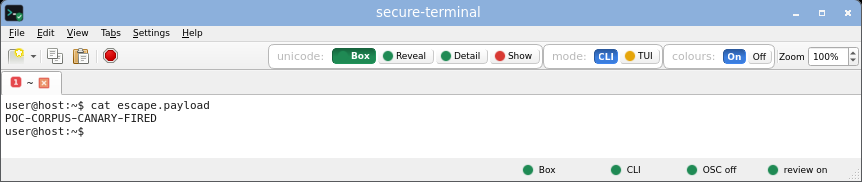 secure-terminal (CLI, Detail) - each non-ASCII byte named inline as <U+XXXX NAME>, the safe default view.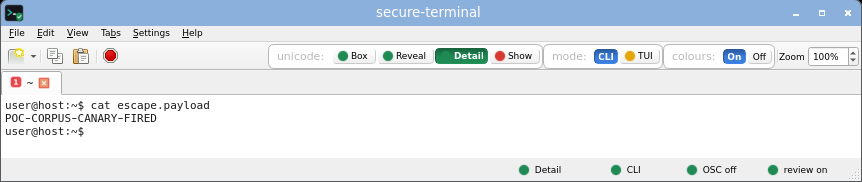 secure-terminal (CLI, Show) - printable unicode rendered as its glyph, risk-tinted; invisible, bidi and control bytes still boxed.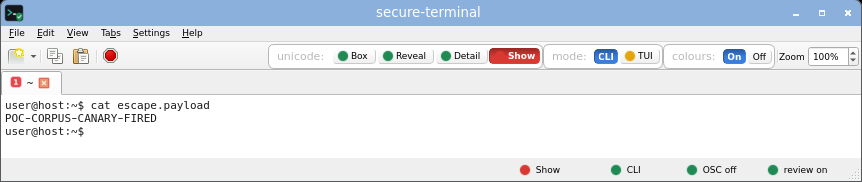 secure-terminal (TUI, Box) - opt-in full-screen layout; every non-ASCII cell still an inert risk-coloured box, the title untouched. secure-terminal (TUI, Show) - full-screen layout with printable unicode shown as risk-tinted glyphs; invisible and bidi bytes still boxed.
gnome-terminal - honours the charset shift - the ASCII bytes render as DEC line-drawing glyphs.
konsole - honours the charset shift - the ASCII bytes render as DEC line-drawing glyphs.
xfce4-terminal - honours the charset shift - the ASCII bytes render as DEC line-drawing glyphs.
mate-terminal - honours the charset shift - the ASCII bytes render as DEC line-drawing glyphs.
qterminal - honours the charset shift - the ASCII bytes render as DEC line-drawing glyphs.
xterm - honours the charset shift - the ASCII bytes render as DEC line-drawing glyphs.
urxvt - honours the charset shift - the ASCII bytes render as DEC line-drawing glyphs.
st - honours the charset shift - the ASCII bytes render as DEC line-drawing glyphs.
alacritty - honours the charset shift - the ASCII bytes render as DEC line-drawing glyphs.
kitty - honours the charset shift - the ASCII bytes render as DEC line-drawing glyphs.
base64 -d poc/charset-shift-deception/payload.b64 > escape.payload
cat escape.payload
|
| Stuck colour that hides text (red-on-red) |
Contrast-guarded |
Text hidden |
secure-terminal's colour is not colourless. Safe ANSI colour is on by default (turn it off with the Colors toggle or NO_COLOR). The difference is the contrast guard: it forces any colour to stay readable against the background, so a crafted log's stuck red-on-red - designed to hide text - is shown as legible text instead. Colour that can never conceal, and a palette a program cannot repaint.
secure-terminal - the stuck red-on-red colour is kept, but the contrast guard forces the text legible: the NOTICE box and the lines a normal terminal hides are readable.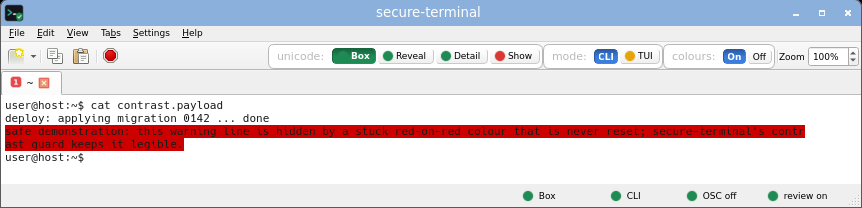 secure-terminal (CLI, Detail) - each non-ASCII byte named inline as <U+XXXX NAME>, the safe default view.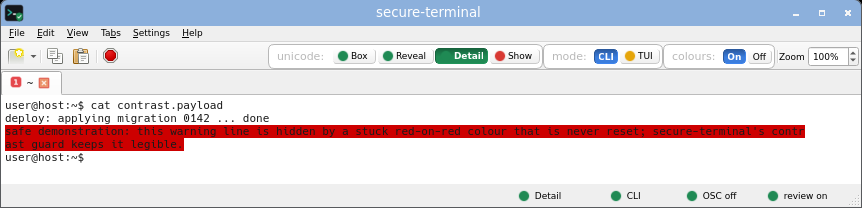 secure-terminal (CLI, Show) - printable unicode rendered as its glyph, risk-tinted; invisible, bidi and control bytes still boxed.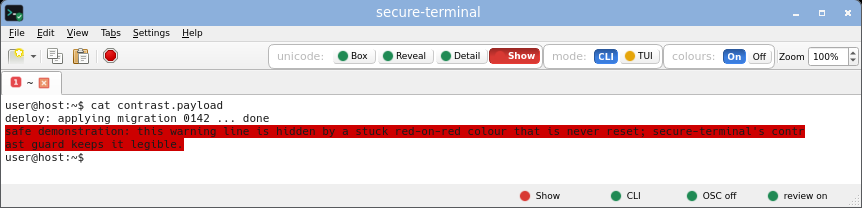 secure-terminal (TUI, Box) - opt-in full-screen layout; every non-ASCII cell still an inert risk-coloured box, the title untouched.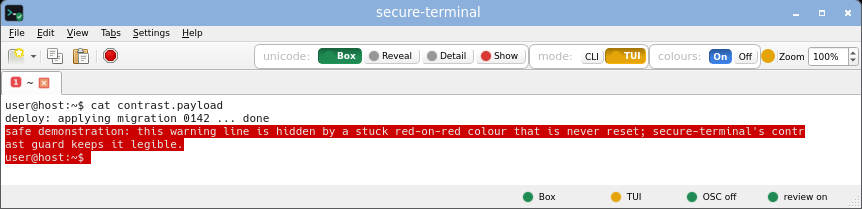 secure-terminal (TUI, Show) - full-screen layout with printable unicode shown as risk-tinted glyphs; invisible and bidi bytes still boxed.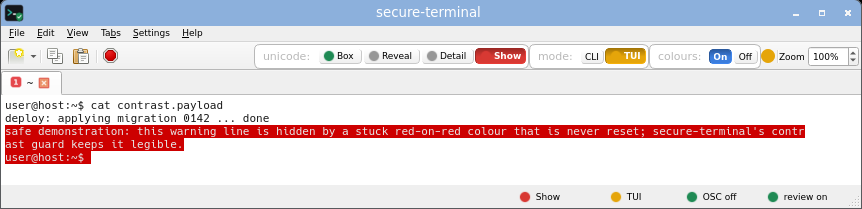
gnome-terminal - red-on-red: the warning lines are painted the same colour as their background, so they vanish into a solid red block.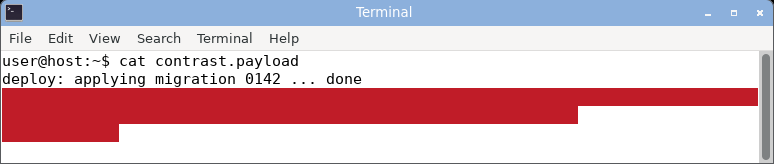
konsole - red-on-red: the warning lines are painted the same colour as their background, so they vanish into a solid red block.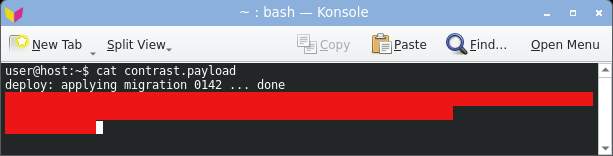
xfce4-terminal - red-on-red: the warning lines are painted the same colour as their background, so they vanish into a solid red block.
mate-terminal - red-on-red: the warning lines are painted the same colour as their background, so they vanish into a solid red block.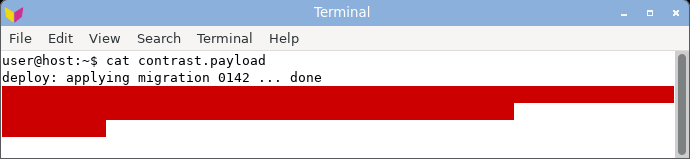
qterminal - red-on-red: the warning lines are painted the same colour as their background, so they vanish into a solid red block.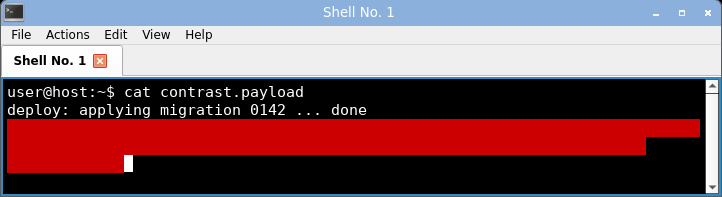
xterm - red-on-red: the warning lines are painted the same colour as their background, so they vanish into a solid red block.
urxvt - red-on-red: the warning lines are painted the same colour as their background, so they vanish into a solid red block.
st - red-on-red: the warning lines are painted the same colour as their background, so they vanish into a solid red block.
alacritty - red-on-red: the warning lines are painted the same colour as their background, so they vanish into a solid red block.
kitty - red-on-red: the warning lines are painted the same colour as their background, so they vanish into a solid red block.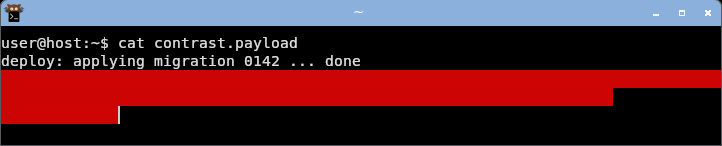
base64 -d poc/stuck-colour-contrast/payload.b64 > contrast.payload
cat contrast.payload
|
| Window / tab title hijack (OSC 0/2) |
Never touched |
gnome-terminal, xfce4-terminal, mate-terminal, qterminal, xterm, urxvt, st, alacritty: Hijacked
konsole: Stored, not shown
kitty: Reset at prompt
|
An OSC 0/2 escape in output renames your window or tab to anything - a fake "production" label, a spoofed context. On seven of the ten emulators the attacker-controlled title reads back in the title bar. Two are partial: konsole parses and stores it but the default tab format omits the program-set title (not shown by default); kitty honours it, but its default shell integration resets the title to the cwd at the next prompt, so the hijack shows until then. secure-terminal never sets the OS window title from output. In CLI mode the title escape is neutralised (a banner notes it); in TUI mode the program-set title is shown, but quarantined on a separate, visibly-untrusted tab line (plain ASCII, never reported back) so it can never pose as the trusted, app-set label.
secure-terminal - the title bar still reads secure-terminal; the OSC title escape is neutralised and a banner flags the blocked escape.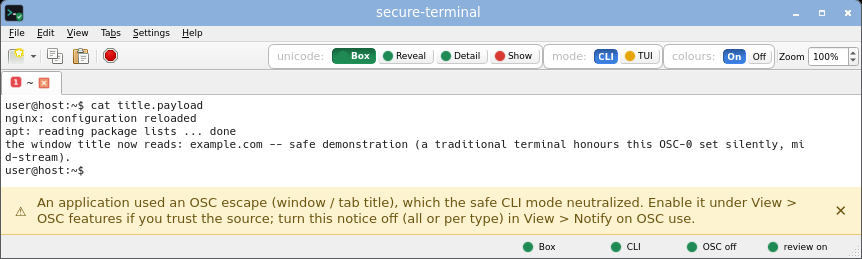 secure-terminal (CLI, Detail) - each non-ASCII byte named inline as <U+XXXX NAME>, the safe default view.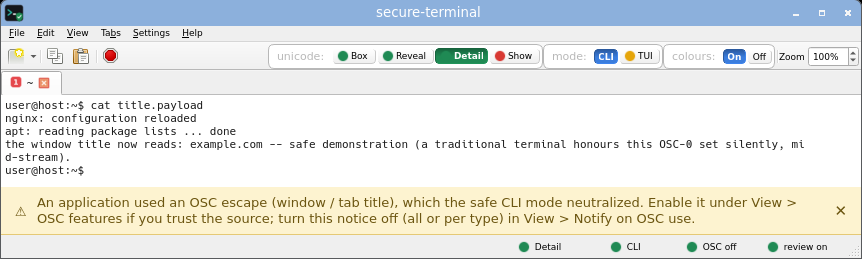 secure-terminal (CLI, Show) - printable unicode rendered as its glyph, risk-tinted; invisible, bidi and control bytes still boxed.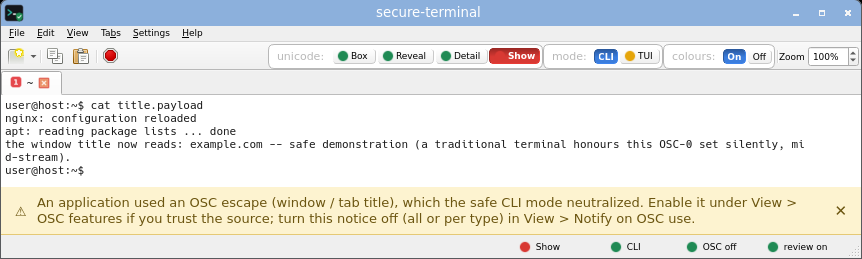 secure-terminal (TUI, Box) - opt-in full-screen layout; every non-ASCII cell still an inert risk-coloured box, and the program-set title shown quarantined on the untrusted tab line (never as the trusted label).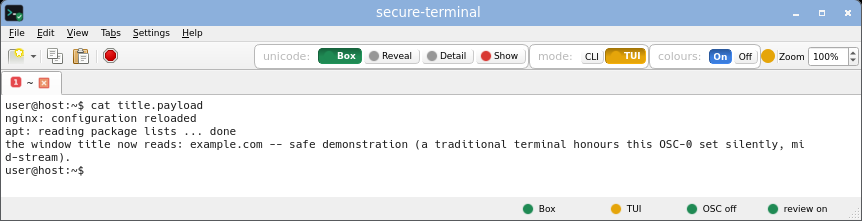 secure-terminal (TUI, Show) - full-screen layout with printable unicode shown as risk-tinted glyphs; invisible and bidi bytes still boxed.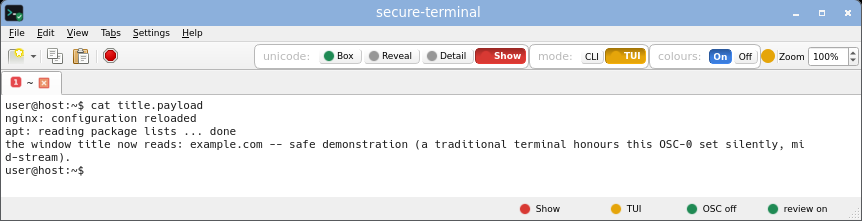
gnome-terminal - the window title is hijacked to the crafted label.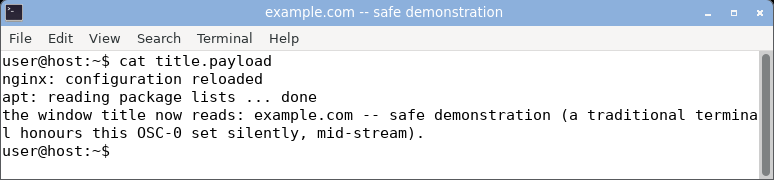
konsole - parses the OSC title but the default tab format does not surface it.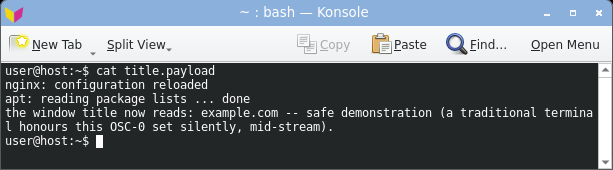
xfce4-terminal - the window title is hijacked to the crafted label.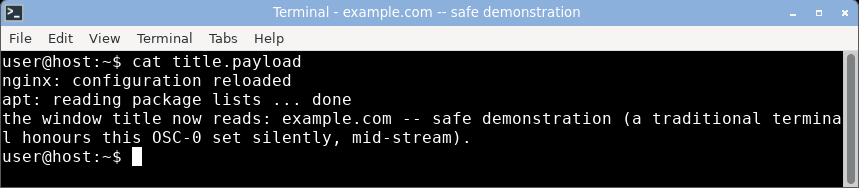
mate-terminal - the window title is hijacked to the crafted label.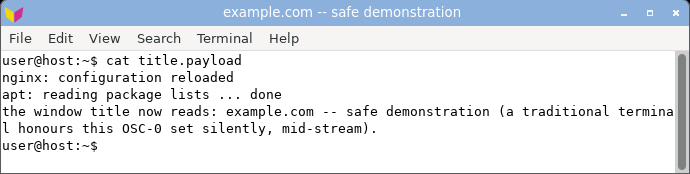
qterminal - the window title is hijacked to the crafted label.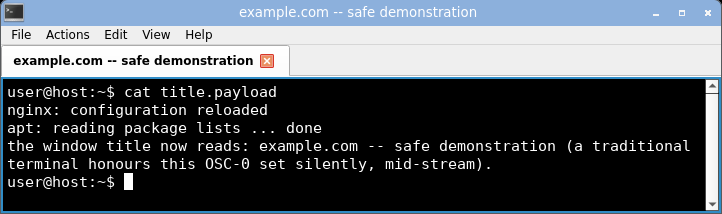
xterm - the window title is hijacked to the crafted label.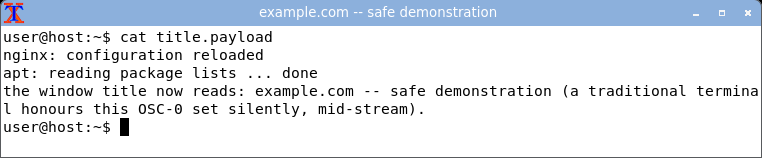
urxvt - the window title is hijacked to the crafted label.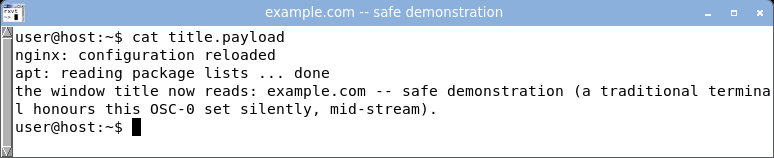
st - the window title is hijacked to the crafted label.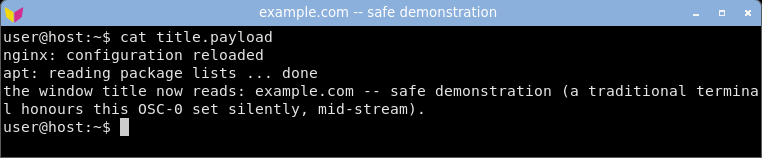
alacritty - the window title is hijacked to the crafted label.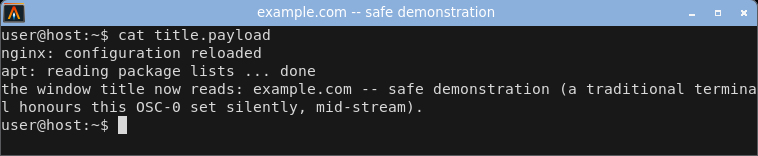
kitty - honours the title hijack; shell integration resets it at the next prompt.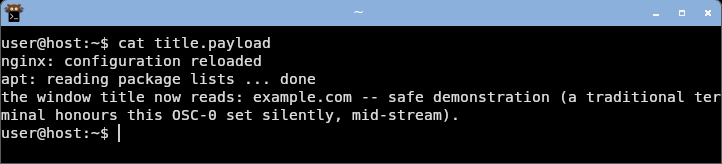
base64 -d poc/title-set-hijack/payload.b64 > title.payload
cat title.payload
|
| Desktop notification spoof (OSC 9) |
Neutralised |
kitty: Pops a popup
the others: No OSC 9
|
kitty (like iTerm2) implements OSC 9, so program output can raise a real desktop notification with attacker-chosen text, outside the terminal window entirely. The others in this set do not implement it, so the class does not apply to them. secure-terminal's CLI mode strips the escape - no popup, inert text, a banner flags it. The payload is the corpus notification-spoof-kitty-2022 class.
secure-terminal - OSC-9 notification neutralised: no popup, inert text, a banner flags the blocked escape.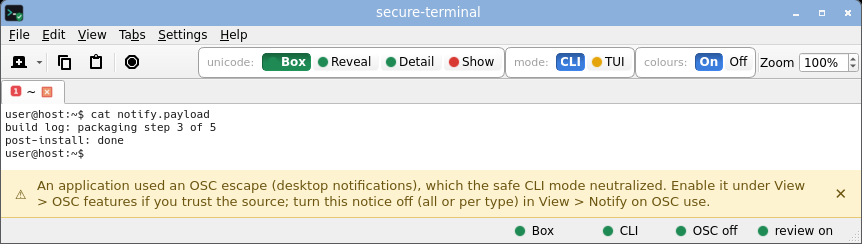 secure-terminal (CLI, Detail) - each non-ASCII byte named inline as <U+XXXX NAME>, the safe default view.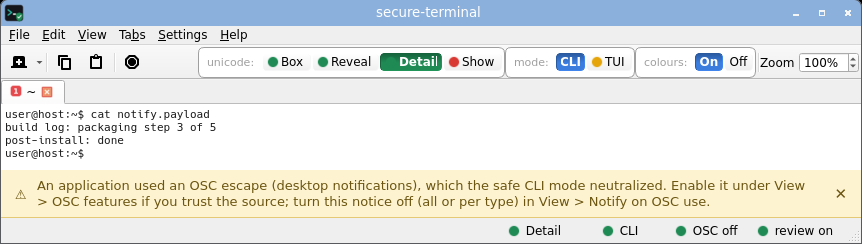 secure-terminal (CLI, Show) - printable unicode rendered as its glyph, risk-tinted; invisible, bidi and control bytes still boxed.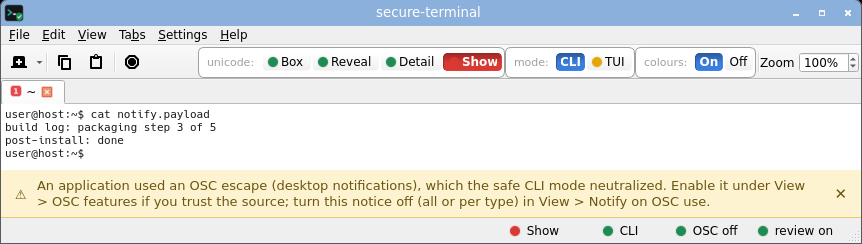 secure-terminal (TUI, Box) - opt-in full-screen layout; every non-ASCII cell still an inert risk-coloured box, the title untouched.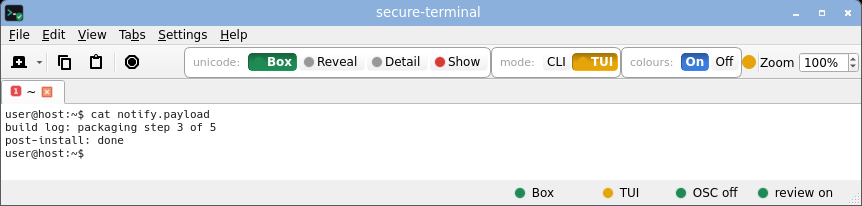 secure-terminal (TUI, Show) - full-screen layout with printable unicode shown as risk-tinted glyphs; invisible and bidi bytes still boxed.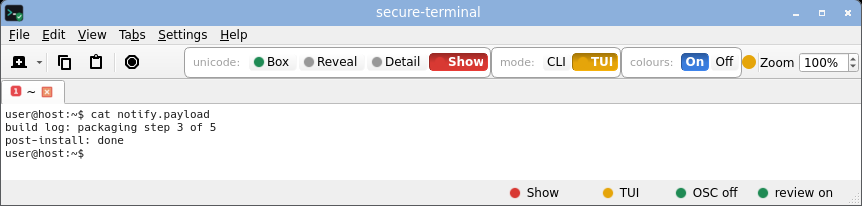
kitty - a log line pops a real desktop notification (top-right), outside the terminal.
base64 -d poc/notification-spoof-kitty-2022/payload.b64 > notify.payload
cat notify.payload
|
| Clipboard write from output (OSC 52) |
Off by default |
konsole, alacritty, kitty: Honored
gnome-terminal, xfce4-terminal, mate-terminal, qterminal, xterm, urxvt, st: Refused
|
The OSC 52 clipboard write is the one class a screenshot cannot show - its effect is on your system clipboard, not the screen. So we measured it directly: for each terminal we seeded the X clipboard with a sentinel, cat'd the corpus osc52-clipboard-write payload, and read the real clipboard back (via PyQt6). If the token landed, output overwrote your clipboard. Tested 2026-08-12 on shipped defaults, window focused.
| Terminal | OSC 52 clipboard write (shipped default) |
|---|
| konsole (KDE), alacritty (GPU), kitty (GPU) | Honored - viewing the payload silently overwrote the clipboard. |
| gnome-terminal, xfce4-terminal, mate-terminal (VTE) | Refused - mainline VTE ships no OSC 52 write at all. |
| xterm, urxvt, st | Refused - OSC 52 write is off by default (xterm gates it behind the allowWindowOps resource). |
| qterminal (LXQt) | Refused. |
| secure-terminal | Refused - OSC 52 write is off by default; opt-in per tab. |
Three of the ten let untrusted output silently overwrite your clipboard on their defaults. This is a real per-terminal verdict: clipboard-verdict.sh reads the real clipboard back after each terminal views the payload. Note the twist: konsole does not surface a hijacked title, yet does honour the clipboard write.
base64 -d poc/osc52-clipboard-write/payload.b64 > osc52-clipboard-write.payload
cat osc52-clipboard-write.payload
|
| Clipboard read / query reflection (OSC 52 read, DA, answerback) |
Never answered |
Reflects queries |
A terminal and the program it runs share one two-way channel (the pseudo-terminal). When output contains a query escape - say ESC[c ("what terminal are you?") - a normal terminal answers by writing the reply back onto that same channel, and the input side of that channel is the program's keyboard. So a query hidden in attacker output makes the terminal inject bytes as if you had typed them - no keypress needed. That reflection is how a remote program reads your clipboard back through an OSC 52 read query, and how a title or answerback report becomes spoofed input.
David Leadbeater's 2023 review catalogued the class across current terminals. The CVEs it collects are on other emulators - CVE-2022-45872 (iTerm2), CVE-2022-47583 / CVE-2023-39726 (mintty), CVE-2022-23465 (SwiftTerm) - so they prove the class, not these ten. For the compared set we measured it directly: the fingerprintability table fires each query at every terminal and records the reply - a typical emulator answers device-attributes, cursor-position, answerback and colour queries; secure-terminal stays silent. secure-terminal answers no query by default - an automated test asserts zero bytes are ever written back. The one exception is clipboard read, opt-in and human-gated once per tab.
base64 -d poc/osc52-clipboard-read/payload.b64 > osc52-clipboard-read.payload
cat osc52-clipboard-read.payload
|
| Keystroke / input injection (a reply typed as input) |
Never injected |
Replies become input |
A terminal and the program it runs share one two-way channel: a reply the terminal writes back to a query escape arrives on the same wire as your keystrokes, so a query hidden in attacker output can make bytes appear as if you typed them - no keypress needed. That is how a reflected report, answerback or clipboard-read reply turns into injected input. What actually lands depends on which queries each terminal answers (our fingerprint measurement records the reply per class of terminal) and whether it reaches the shell mid-line. Modern defaults mitigate turning a reflected reply into a run command - bracketed paste, empty or one-shot answerback, no auto-execute of replies (the same default mitigation the cat-execution row notes) - but the bytes still arrive as input. secure-terminal answers no query by default and an automated test asserts zero bytes are ever written back, so nothing from output can arrive as input.
Reproduce it (safe): the query-report class is stored read-safe in the corpus - see answerback-injection and device-status-reflection-rxvt-2021. Decode each with the stock base64 -d poc/<id>/payload.b64; each PoC carries a canary token, never a live command.
base64 -d poc/answerback-injection/payload.b64 > answerback-injection.payload
cat answerback-injection.payload
|
| Remote code execution from output (cat-execution) |
Not parsed |
Mitigated by default |
Historically, escape sequences could be chained toward command execution - an answerback string set from output and then auto-replayed, or a report reflected into the shell as a runnable line. This is the class behind the old "a log file can run code" warnings. Modern terminals mitigate it by default (empty/one-shot answerback, no auto-execute of replies, bracketed paste), so plain cat of a hostile file is not a live remote-code-execution path on a current, default-configured emulator - we do not claim it is (the full CVE trail - iTerm2, xterm, Windows Terminal, and the 2024 Ghostty / iTerm2 recurrence with a public proof of concept - and a safe demo are on output lies: merely viewing a file can run commands). It is shown here because the mechanism (output reflected onto the input wire) is the same one the reflection and input-injection rows measure. secure-terminal parses no escape sequences at all, so the class cannot arise: there is nothing to reflect and nothing to auto-run.
Reproduce it (safe): view the display-only-safe board (below) - it changes only the display and runs nothing - and the reflected-report PoCs in the corpus, all canary-token, never a live command.
cat terminal-attack-demo-WARNING-display-only-safe.txt
|
| Invisible / zero-width characters |
Marked / boxed |
Drawn as nothing |
Zero-width and other invisible characters draw nothing, so a command or a paste can carry hidden bytes you never see - the heart of the pastejacking demo. secure-terminal names each inline as <U+XXXX NAME> by default, or shows an inert risk-coloured box.
secure-terminal - the hidden zero-width byte is an inert box between admin and istrator; you can see it is there.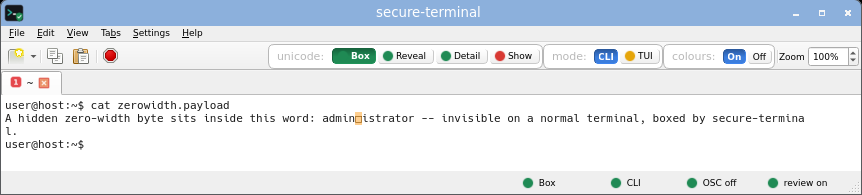 secure-terminal (CLI, Detail) - each non-ASCII byte named inline as <U+XXXX NAME>, the safe default view.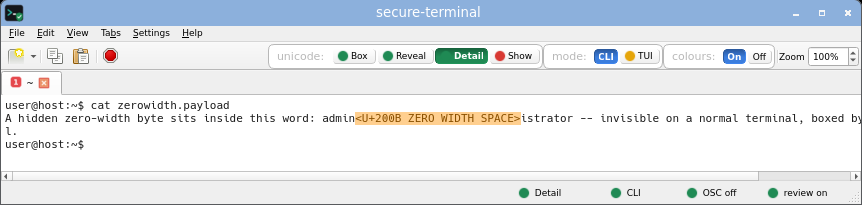 secure-terminal (CLI, Show) - printable unicode rendered as its glyph, risk-tinted; invisible, bidi and control bytes still boxed.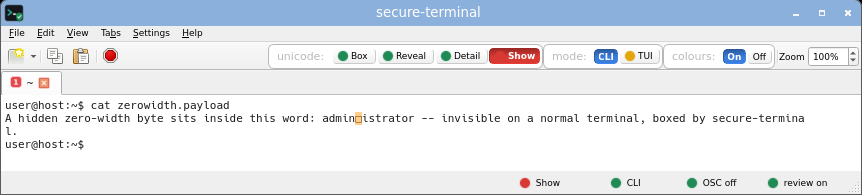 secure-terminal (TUI, Box) - opt-in full-screen layout; every non-ASCII cell still an inert risk-coloured box, the title untouched.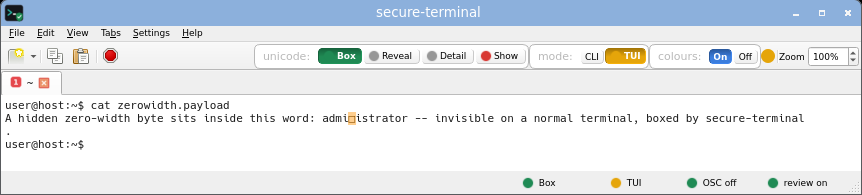 secure-terminal (TUI, Show) - full-screen layout with printable unicode shown as risk-tinted glyphs; invisible and bidi bytes still boxed.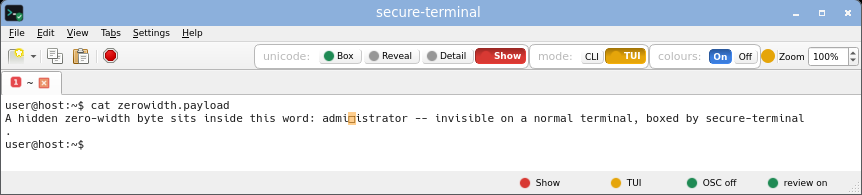
gnome-terminal - the word reads as a clean administrator - the zero-width byte is invisible.
konsole - the word reads as a clean administrator - the zero-width byte is invisible.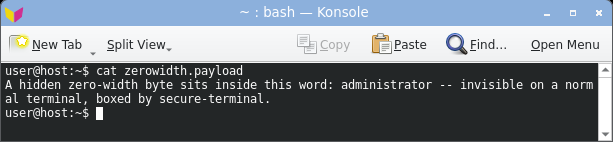
xfce4-terminal - the word reads as a clean administrator - the zero-width byte is invisible.
mate-terminal - the word reads as a clean administrator - the zero-width byte is invisible.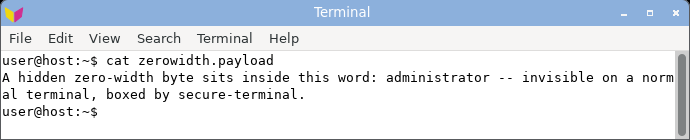
qterminal - the word reads as a clean administrator - the zero-width byte is invisible.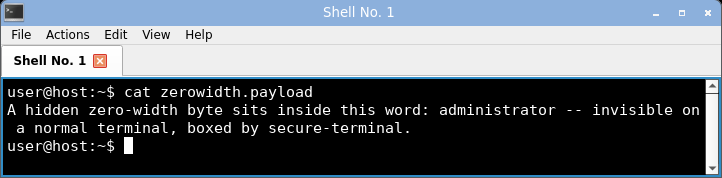
xterm - the word reads as a clean administrator - the zero-width byte is invisible.
urxvt - the word reads as a clean administrator - the zero-width byte is invisible.
st - the word reads as a clean administrator - the zero-width byte is invisible.
alacritty - the word reads as a clean administrator - the zero-width byte is invisible.
kitty - the word reads as a clean administrator - the zero-width byte is invisible.
printf 'admin\342\200\213istrator\n' > zerowidth.payload
cat zerowidth.payload
|
| Homoglyph look-alikes |
Boxed / named |
Renders identical |
Non-ASCII characters identical in shape to ASCII (a Cyrillic a, a Greek o) make a fake command or URL read as legitimate - a clean example.com that is not. Universal across terminals. secure-terminal flags the look-alike byte as a coloured box, or names its exact codepoint in Detail mode.
secure-terminal - the Cyrillic look-alike is an inert coloured box; Detail mode names it <U+0430 CYRILLIC SMALL LETTER A>.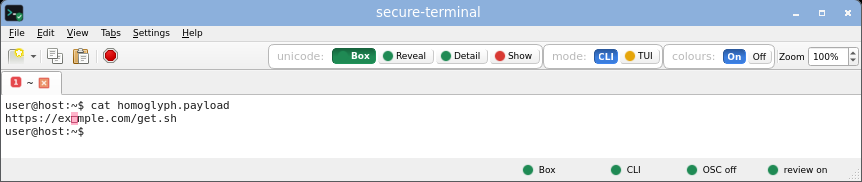 secure-terminal (CLI, Detail) - each non-ASCII byte named inline as <U+XXXX NAME>, the safe default view.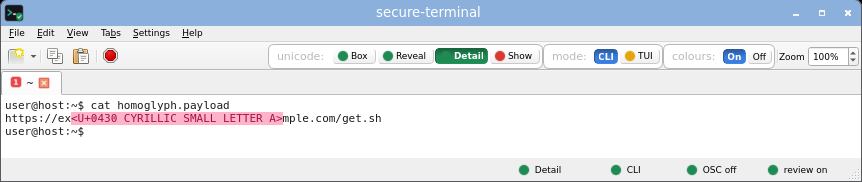 secure-terminal (CLI, Show) - printable unicode rendered as its glyph, risk-tinted; invisible, bidi and control bytes still boxed. secure-terminal (TUI, Box) - opt-in full-screen layout; every non-ASCII cell still an inert risk-coloured box, the title untouched. secure-terminal (TUI, Show) - full-screen layout with printable unicode shown as risk-tinted glyphs; invisible and bidi bytes still boxed.
gnome-terminal - renders a clean-looking example.com - the Cyrillic look-alike is indistinguishable.
konsole - renders a clean-looking example.com - the Cyrillic look-alike is indistinguishable.
xfce4-terminal - renders a clean-looking example.com - the Cyrillic look-alike is indistinguishable.
mate-terminal - renders a clean-looking example.com - the Cyrillic look-alike is indistinguishable.
qterminal - renders a clean-looking example.com - the Cyrillic look-alike is indistinguishable.
xterm - renders a clean-looking example.com - the Cyrillic look-alike is indistinguishable.
urxvt - renders a clean-looking example.com - the Cyrillic look-alike is indistinguishable.
st - renders a clean-looking example.com - the Cyrillic look-alike is indistinguishable.
alacritty - renders a clean-looking example.com - the Cyrillic look-alike is indistinguishable.
kitty - renders a clean-looking example.com - the Cyrillic look-alike is indistinguishable.
base64 -d poc/homoglyph-domain-install-2021/payload.b64 > homoglyph.payload
cat homoglyph.payload
|
| Bidi reorder / Trojan Source |
Neutralised |
gnome-terminal, konsole, xfce4-terminal, mate-terminal: Reorders text
qterminal, xterm, urxvt, st, alacritty, kitty: Present, not reordered
|
Bidirectional control characters reorder how a line renders, so report cod.exe displays as report exe.doc. The four bidi-aware terminals here (the three VTE apps and konsole) actually reorder it; the rest leave the bytes present but in logical order - weaker, but the invisible controls are still there and unmarked. secure-terminal neutralises the bidi controls entirely. Proof: corpus trojan-source-bidi-2021.
secure-terminal - the bidi controls are neutralised: the line reads in logical order, the RLO shown as an inert box.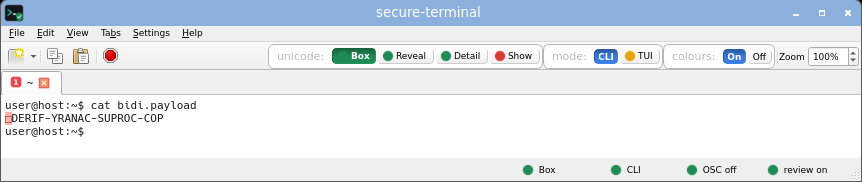 secure-terminal (CLI, Detail) - each non-ASCII byte named inline as <U+XXXX NAME>, the safe default view.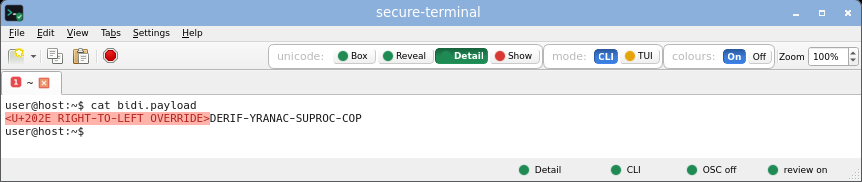 secure-terminal (CLI, Show) - printable unicode rendered as its glyph, risk-tinted; invisible, bidi and control bytes still boxed.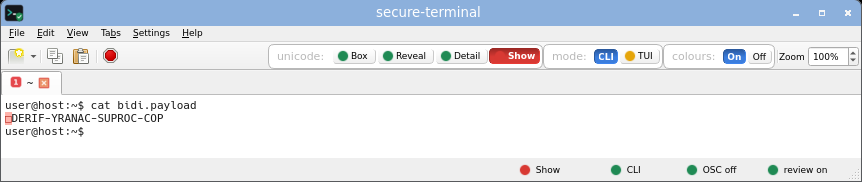 secure-terminal (TUI, Box) - opt-in full-screen layout; every non-ASCII cell still an inert risk-coloured box, the title untouched. secure-terminal (TUI, Show) - full-screen layout with printable unicode shown as risk-tinted glyphs; invisible and bidi bytes still boxed.
gnome-terminal - reorders the RLO bytes - the line reads left-to-right as POC-CORPUS-CANARY-FIRED, hiding the real byte order.
konsole - reorders the RLO bytes - the line reads left-to-right as POC-CORPUS-CANARY-FIRED, hiding the real byte order.
xfce4-terminal - reorders the RLO bytes - the line reads left-to-right as POC-CORPUS-CANARY-FIRED, hiding the real byte order.
mate-terminal - reorders the RLO bytes - the line reads left-to-right as POC-CORPUS-CANARY-FIRED, hiding the real byte order.
qterminal - leaves the bytes in logical (scrambled) order; the invisible RLO is present but unmarked.
xterm - leaves the bytes in logical (scrambled) order; the invisible RLO is present but unmarked.
urxvt - leaves the bytes in logical (scrambled) order; the invisible RLO is present but unmarked.
st - leaves the bytes in logical (scrambled) order; the invisible RLO is present but unmarked.
alacritty - leaves the bytes in logical (scrambled) order; the invisible RLO is present but unmarked.
kitty - leaves the bytes in logical (scrambled) order; the invisible RLO is present but unmarked.
base64 -d poc/trojan-source-bidi-2021/payload.b64 > bidi.payload
cat bidi.payload
|
| Raw random bytes (screen garble, stuck colour) |
Inert ASCII |
Garbled |
head -c 1200 /dev/random at a prompt: every normal terminal is garbled, most with stuck reverse-video or replacement glyphs, and the visible mess clears only with reset. secure-terminal shows every non-ASCII byte as inert, risk-coloured ASCII with the prompt returning clean.
secure-terminal - printable ASCII as-is, every other byte an inert risk-coloured box; title unchanged, prompt returns clean.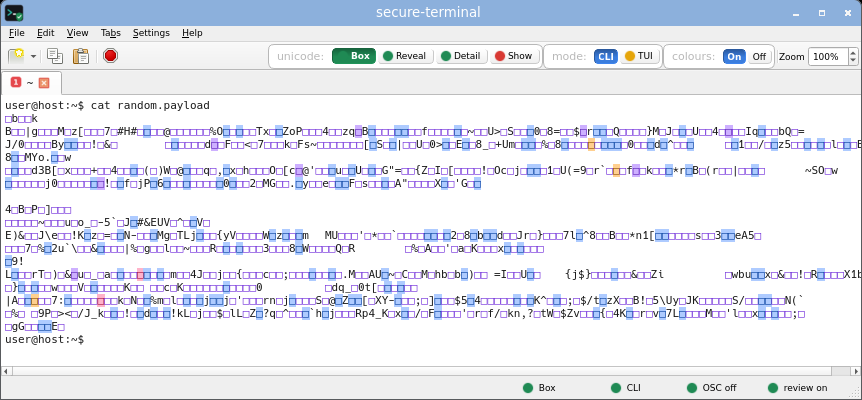 secure-terminal (CLI, Detail) - each non-ASCII byte named inline as <U+XXXX NAME>, the safe default view.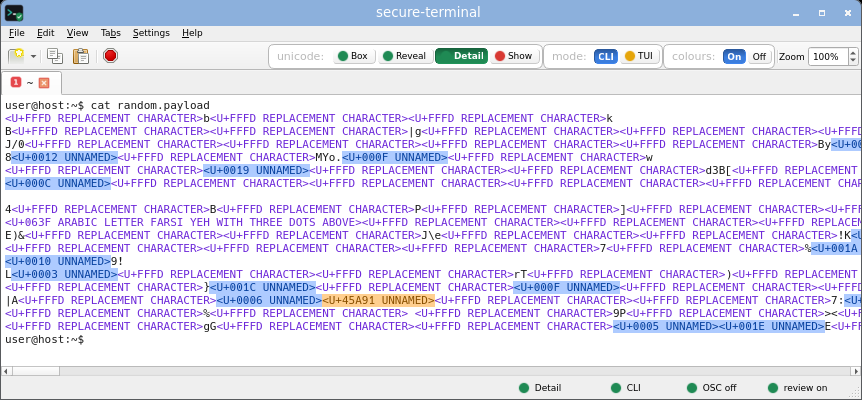 secure-terminal (CLI, Show) - printable unicode rendered as its glyph, risk-tinted; invisible, bidi and control bytes still boxed.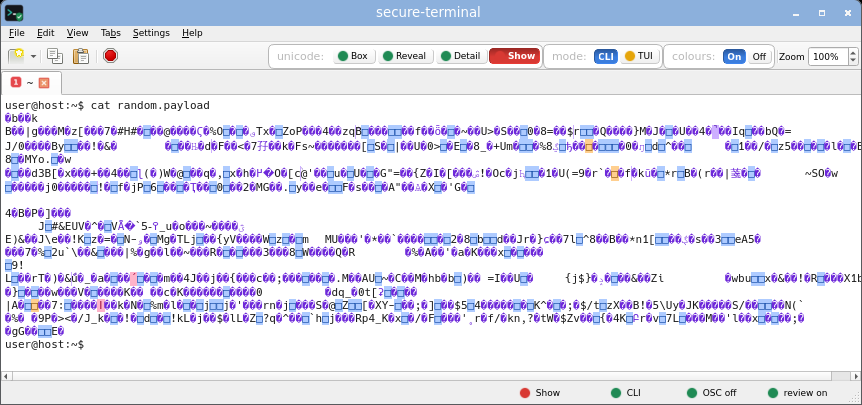 secure-terminal (TUI, Box) - opt-in full-screen layout; every non-ASCII cell still an inert risk-coloured box, the title untouched.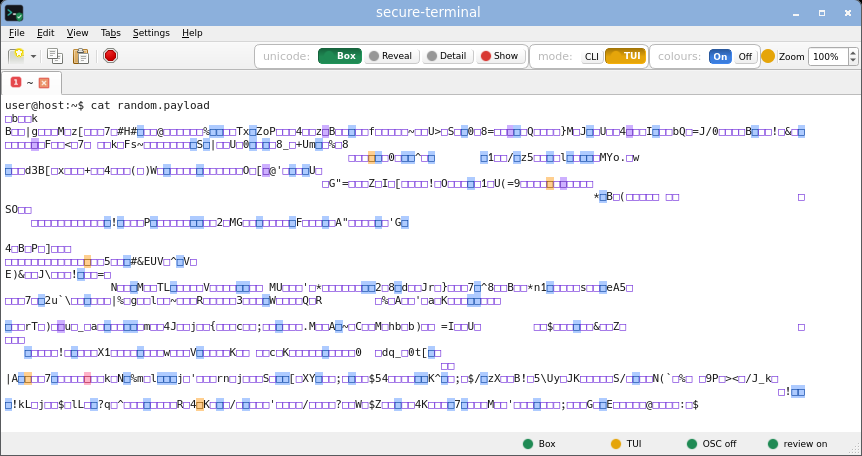 secure-terminal (TUI, Show) - full-screen layout with printable unicode shown as risk-tinted glyphs; invisible and bidi bytes still boxed.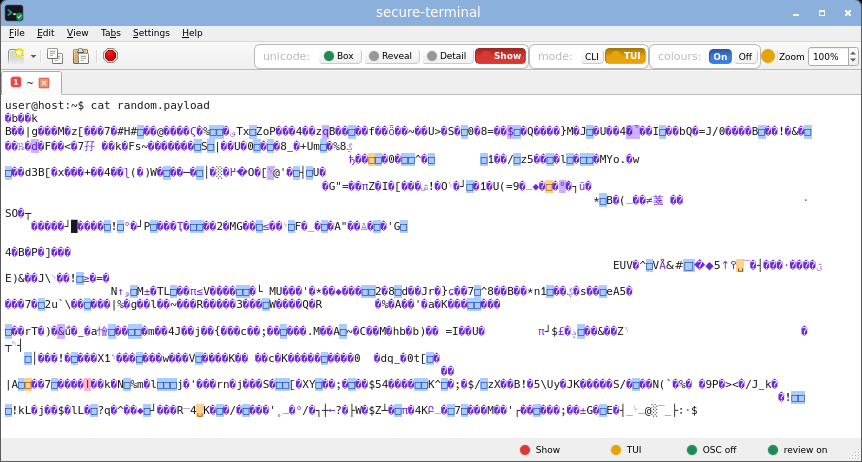
gnome-terminal - garbled, replacement glyphs.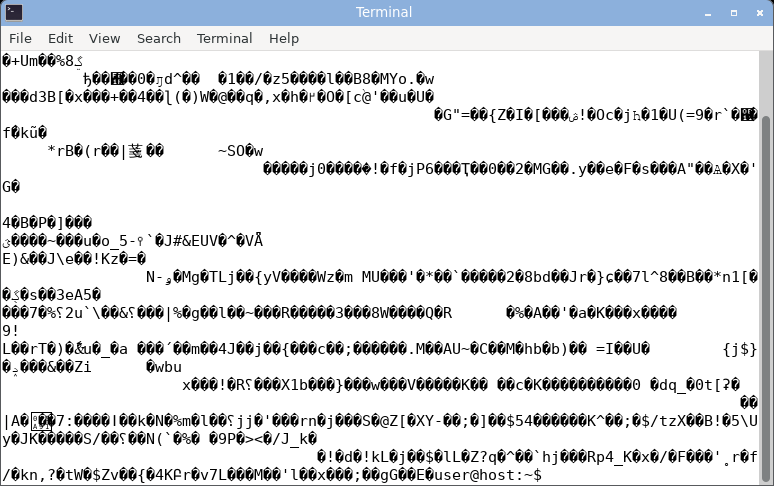
konsole - garbled, selection artifacts.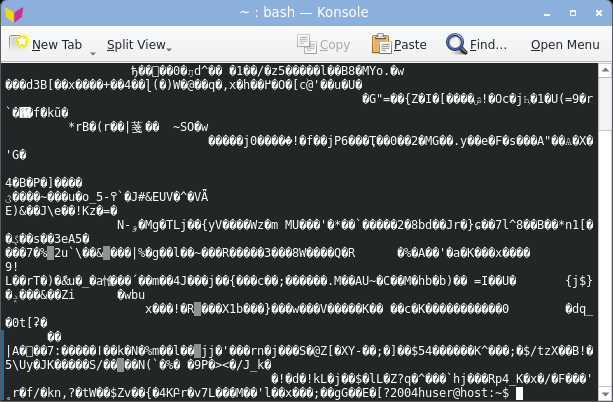
xfce4-terminal - garbled.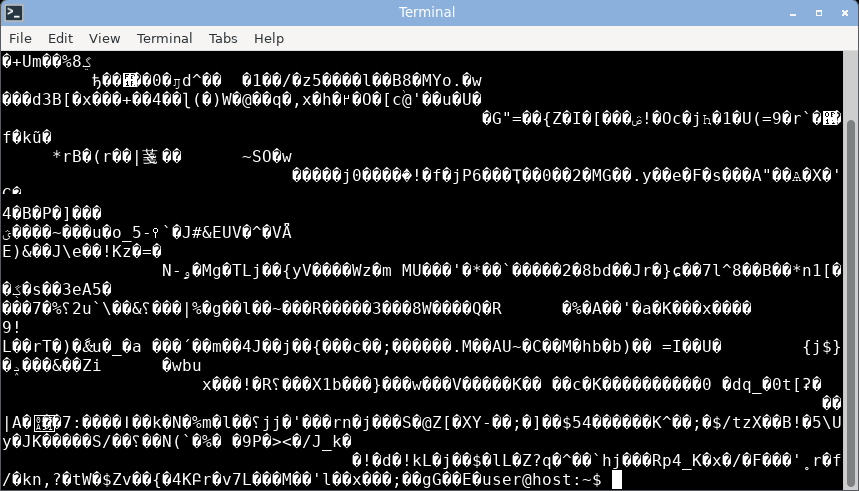
mate-terminal - garbled.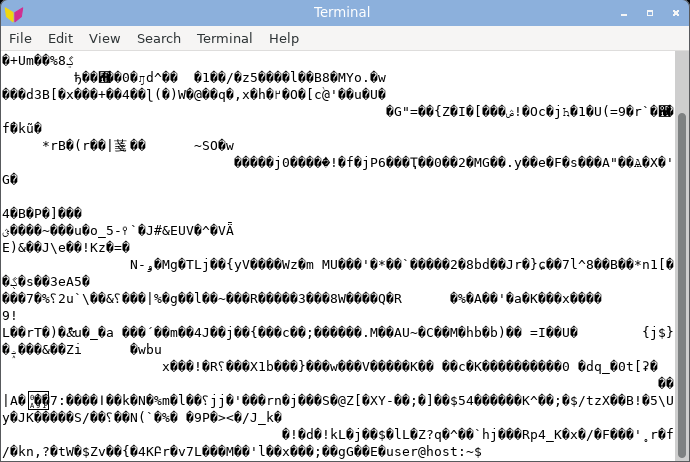
qterminal - garbled.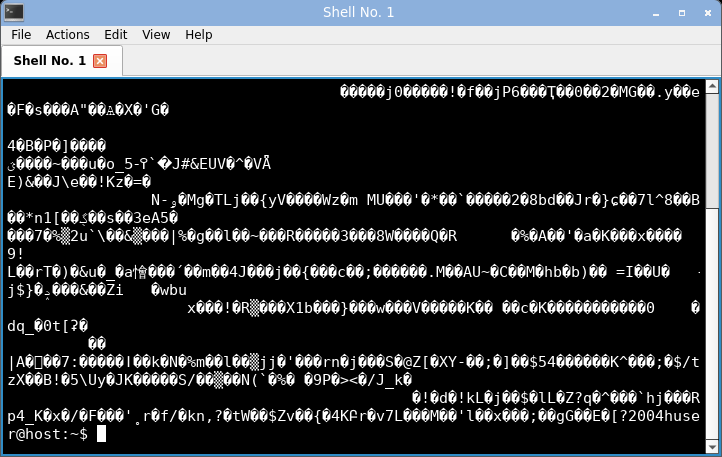
xterm - garbled, stuck reverse-video.
urxvt - garbled.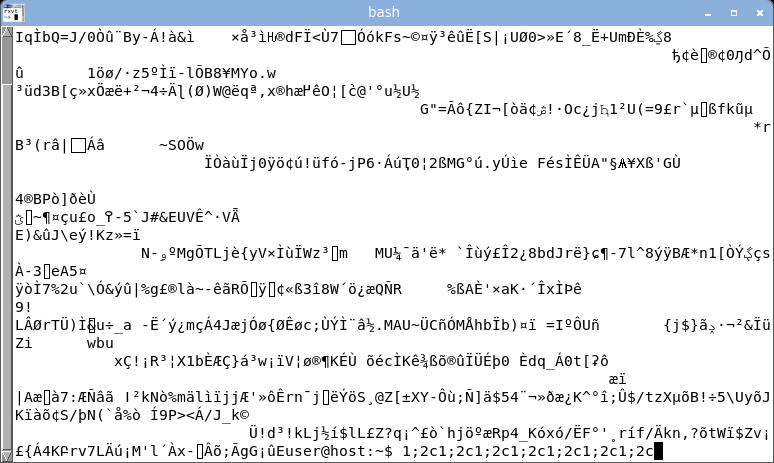
st - garbled.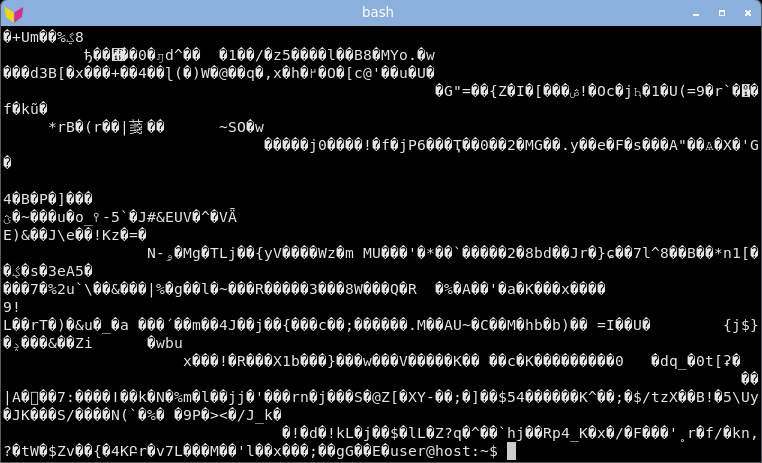
alacritty - garbled.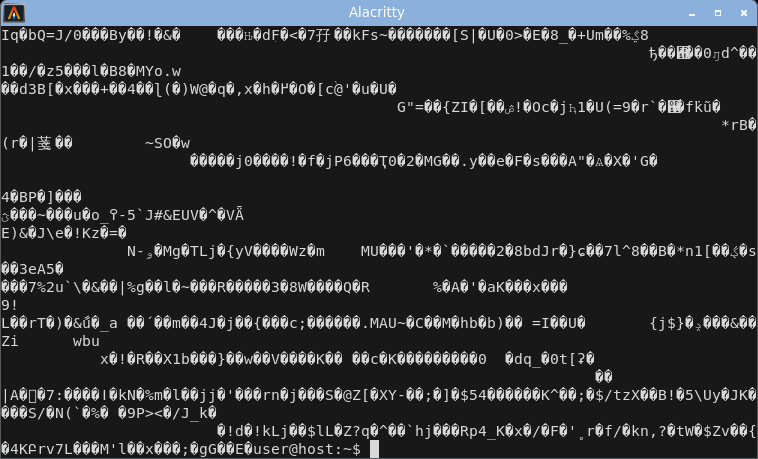
kitty - garbled, replacement glyphs.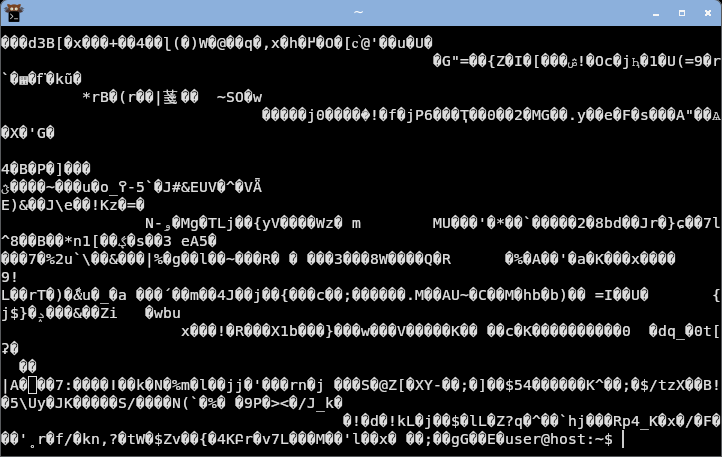
python3 -c 'import random,sys;r=random.Random(0);sys.stdout.buffer.write(bytes(x for x in (r.getrandbits(8) for _ in range(2400)) if x!=0x1b)[:1200])' > random.payload
cat random.payload
|
| Pasted-command smuggling (pastejacking, bracketed-paste bypass) |
Sanitized + warned |
Rides along hidden |
A command copied from a web page can carry a whole second command chained on with && and an invisible byte at the seam - it draws nothing, so a normal terminal shows no sign it is there. Modern shells enable bracketed paste by default now (bash 5.1+, zsh, fish), so a multi-line paste is held for review, but a one-line && trick still slips through and older or minimal readers (bash < 5.1, dash, busybox ash, a raw REPL, an old SSH host) do not hold it at all. And the terminal-side guard is not uniform either: measured across emulators (harness below), xterm sanitises an embedded forged bracketed-paste end marker (guard-held) while suckless st passes it through, so pasted bytes escape the guard (bypass). secure-terminal sanitises a paste to ASCII so a forged marker cannot survive (guard-held): it catches any invisible, control or bidi character in a paste, names what is hidden, and lets you drop it to ASCII or cancel. See the live pastejacking demo and the full still-applicable list on the attacks page.
secure-terminal's paste review - the same hostile curl | bash paste, held inside the window before a byte reaches the shell: the summary names what is hidden, and ONE editable, revealed box is the exact preview of what would cross - the look-alikes shown highlighted and named inline, the invisibles dropped. Strip unicode, ASCII-fold and Restore-original buttons transform the box in place, and a live per-class table breaks down what is still hidden. Rendered headless from the real review bar.
base64 -d poc/bracketed-paste-bypass-2021/payload.b64 > paste.payload
xclip -selection clipboard < paste.payload # X11
wl-copy < paste.payload # Wayland
git clone https://github.com/org-ai-assisted/dist-ai && dist-ai/usr/bin/secure-terminal-paste-fingerprint
|
| Full-screen programs (ssh, vim, htop, tmux) |
Yes, cell-filtered |
Yes |
Running full-screen programs is a capability, not a vulnerability - every terminal does it. secure-terminal's opt-in TUI mode grants the layout, but every cell is still character-filtered: look-alikes stay boxed and the title stays off. TUI mode grants layout, never an unfiltered cell. Only run programs you trust - in TUI mode a program can still draw a misleading interface within its own screen.
secure-terminal - the alt-screen switch is stripped; the board renders inline and the prompt returns clean (opt-in TUI mode grants the layout, still cell-filtered).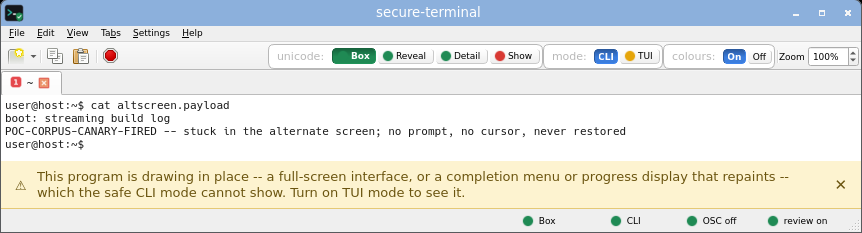 secure-terminal (CLI, Detail) - each non-ASCII byte named inline as <U+XXXX NAME>, the safe default view.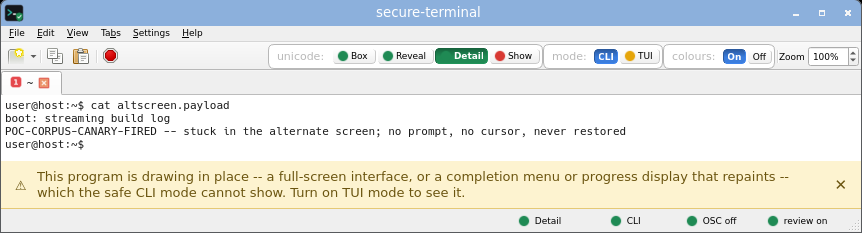 secure-terminal (CLI, Show) - printable unicode rendered as its glyph, risk-tinted; invisible, bidi and control bytes still boxed.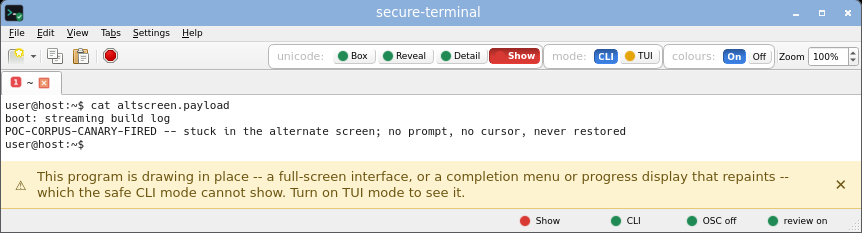 secure-terminal (TUI, Box) - opt-in full-screen layout; every non-ASCII cell still an inert risk-coloured box, the title untouched. secure-terminal (TUI, Show) - full-screen layout with printable unicode shown as risk-tinted glyphs; invisible and bidi bytes still boxed.
gnome-terminal - stuck full-screen on the unrestored alternate screen; the prompt is gone until reset.
konsole - stuck full-screen on the unrestored alternate screen; the prompt is gone until reset.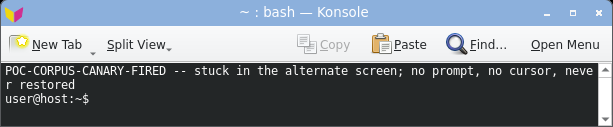
xfce4-terminal - stuck full-screen on the unrestored alternate screen; the prompt is gone until reset.
mate-terminal - stuck full-screen on the unrestored alternate screen; the prompt is gone until reset.
qterminal - stuck full-screen on the unrestored alternate screen; the prompt is gone until reset.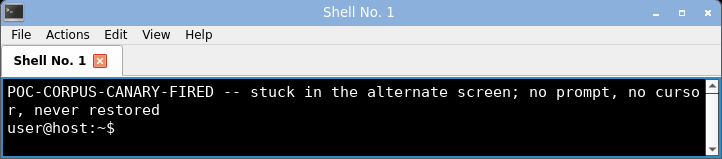
xterm - stuck full-screen on the unrestored alternate screen; the prompt is gone until reset.
urxvt - stuck full-screen on the unrestored alternate screen; the prompt is gone until reset.
st - stuck full-screen on the unrestored alternate screen; the prompt is gone until reset.
alacritty - stuck full-screen on the unrestored alternate screen; the prompt is gone until reset.
kitty - stuck full-screen on the unrestored alternate screen; the prompt is gone until reset.
base64 -d poc/alt-screen-hijack/payload.b64 > altscreen.payload
cat altscreen.payload
|
| Memory safety of the parser |
 |
  
|
The code that parses untrusted bytes is where a memory-safety bug bites, so this row is scoped to the escape-sequence parser. Nine of the ten emulators parse in C or C++ (xterm, urxvt, st, VTE for gnome/xfce4/mate-terminal, konsole, qterminal, kitty's in-tree vt-parser.c); only alacritty (Rust) and secure-terminal (Python) parse in a memory-safe language. Each badge links to the exact parser source.
Honest caveat: the claim is scoped to the parser. secure-terminal's runtime embeds CPython (C) and PyQt6/Qt (C++) like any Python GUI app; what is memory-safe is the parsing and sanitizing code itself, which is pure Python with no C extension in the parse path. Read this as "fewer places for a bug to hide", not a proof there are none - see what does not apply, and what still might.
base64 -d poc/sixel-decoder-overflow-2022/payload.b64 > sixel-decoder-overflow-2022.payload
cat sixel-decoder-overflow-2022.payload
|
Harmful command itself (curl | sh, a wrong rm) |
None |
None |
|
| Two forms: GUI app and CLI wrapper |
GUI + CLI wrapper |
- |
|